> For the complete documentation index, see [llms.txt](https://guide.taskforgeapp.com/llms.txt). Markdown versions of documentation pages are available by appending `.md` to page URLs; this page is available as [Markdown](https://guide.taskforgeapp.com/sync-tasks-from-google-calendar.md).
# Sync Tasks from Google Calendar
Follow directions on laptop:
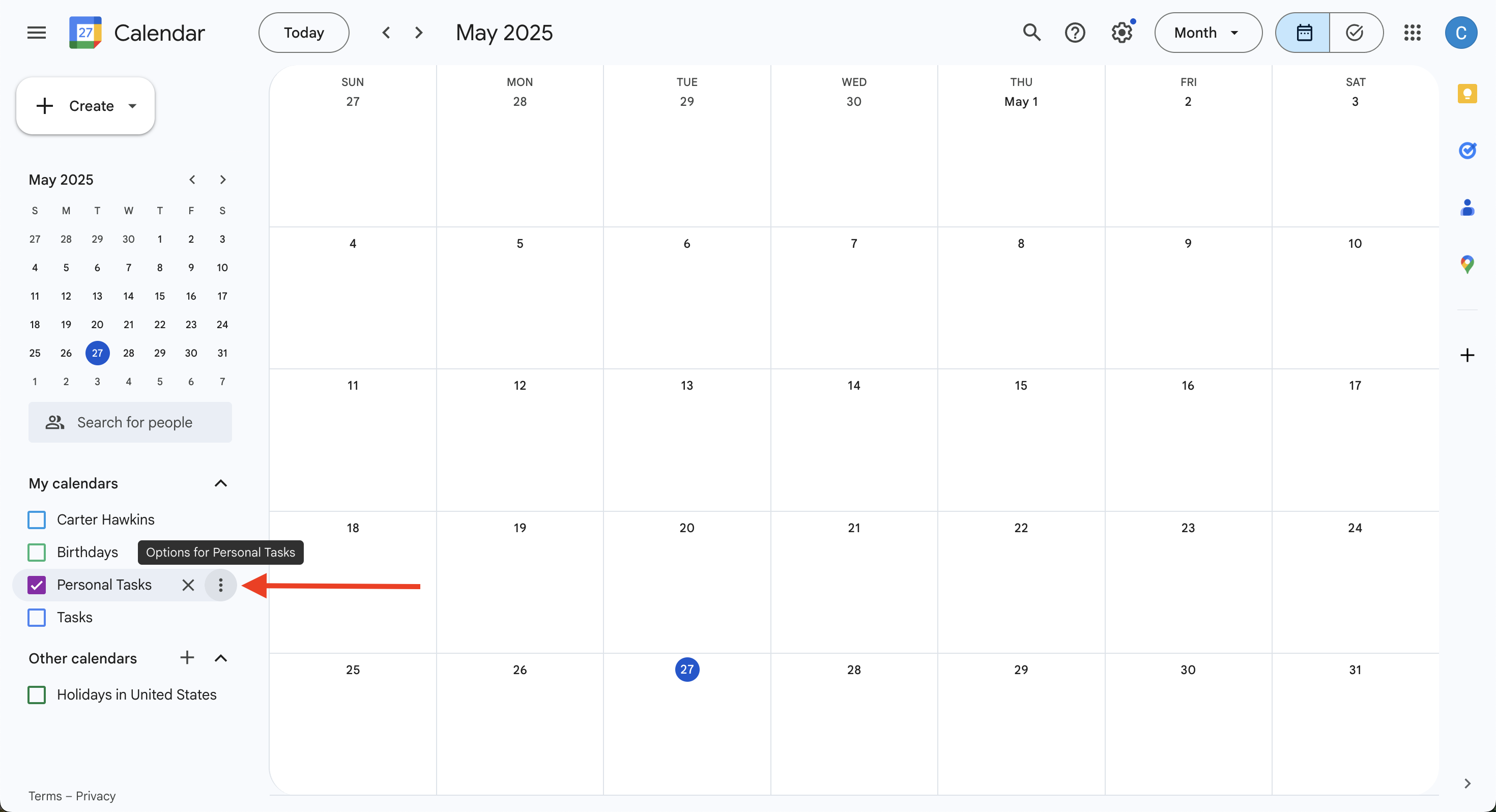
Nagivate to your Google Calendar
Select options for calendar you want to add
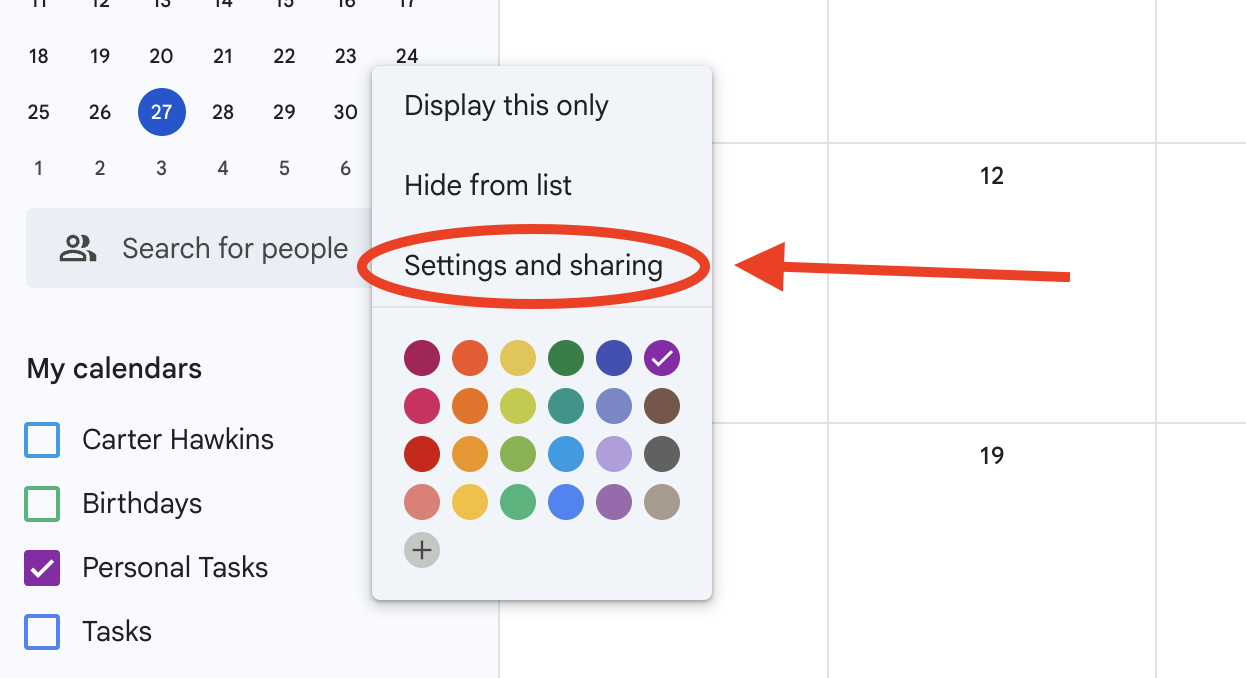
Click *Settings and Sharing*
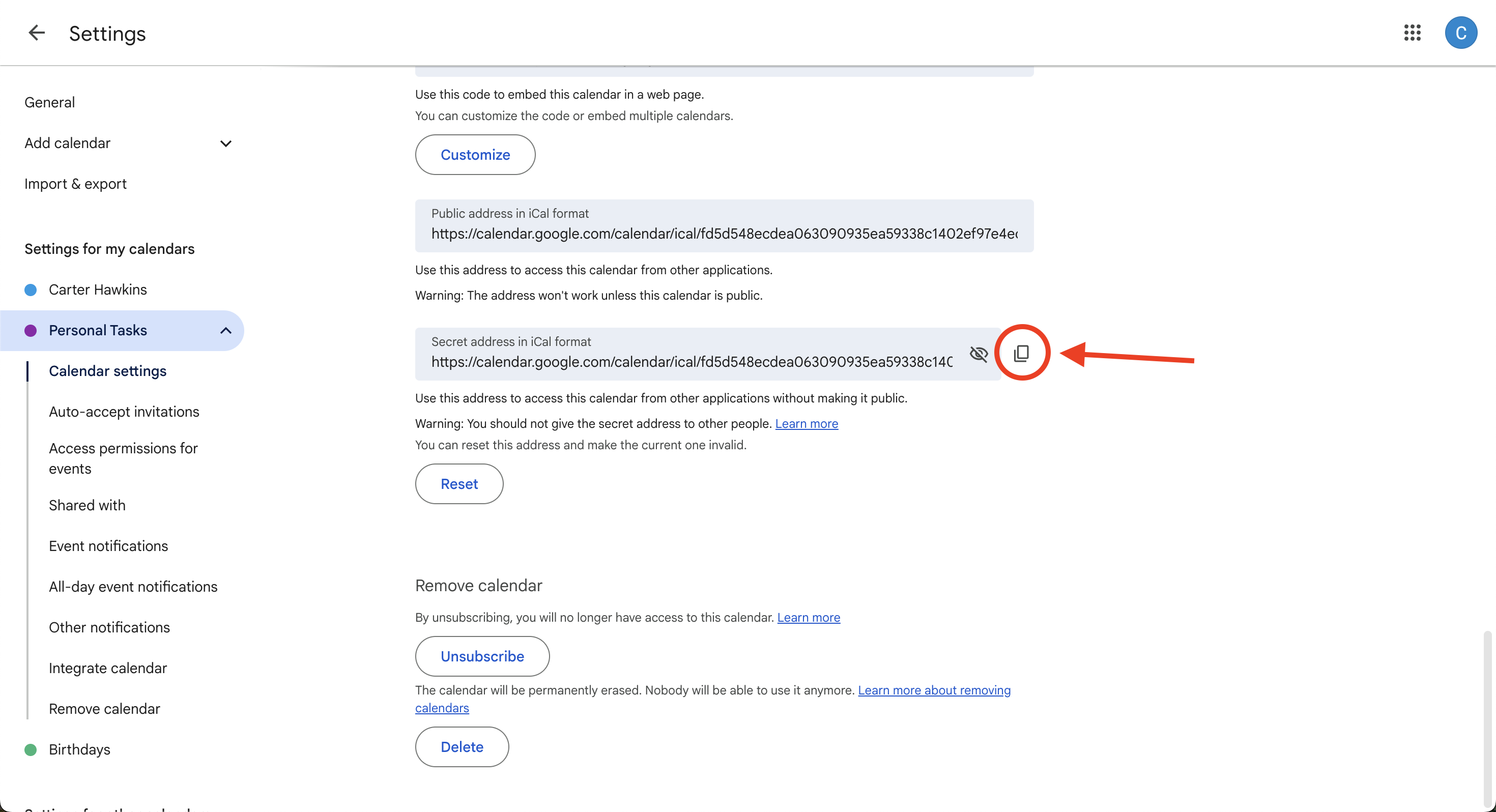
Scroll down to *Integrate calendar* section
Copy the **Secret Address** link
Go back to the Task Forge app
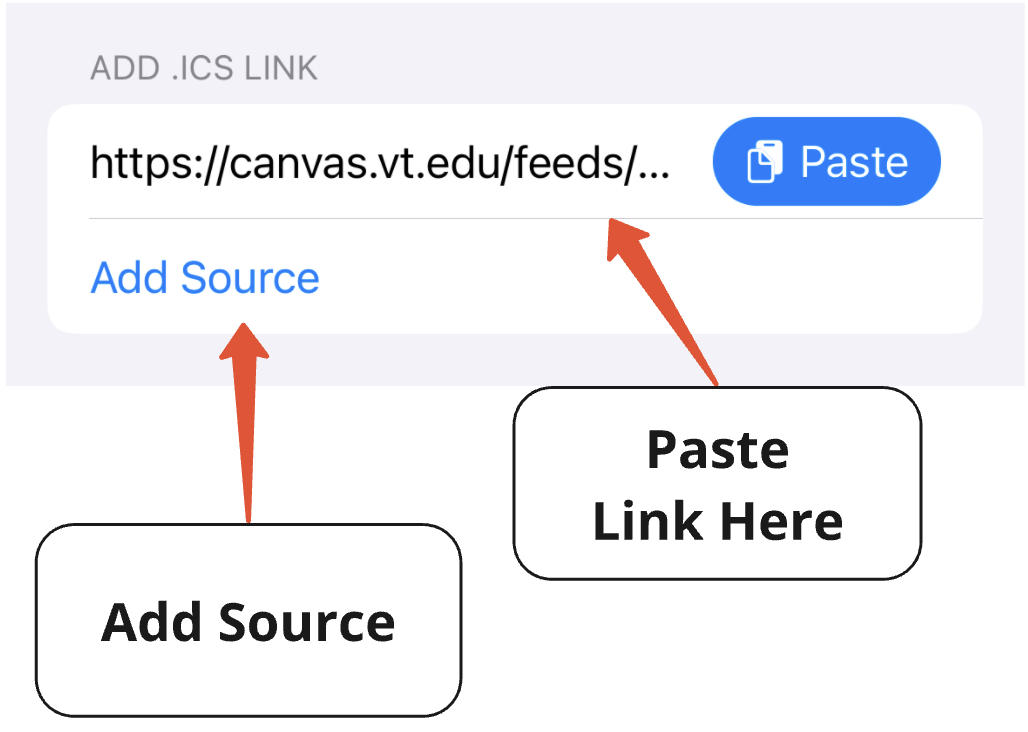
In the More tab, navigate to the *Syncing* section and select *Add Canvas or Calendar Connection.* Paste the link into the *Add .ICS Link* field.